Audio components
An audio component plays a media file’s audio stream for the duration of a cue’s content phase.
UI location
Select a cue → Audio inspector tab.
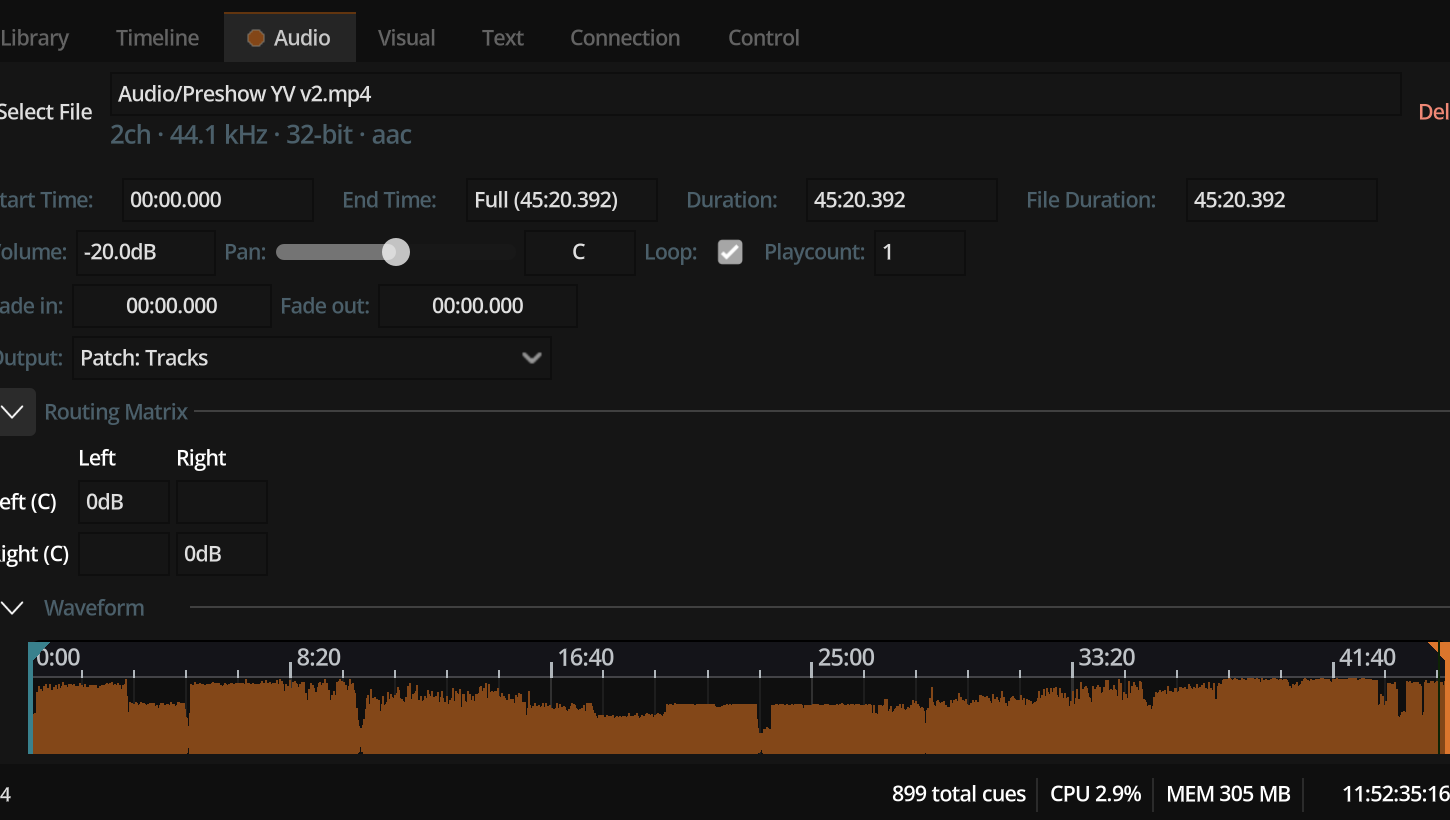
Fields
| Field | Description |
|---|---|
| File | Path to media (absolute or show-relative) |
| Start / end time | Region of the file to play (seconds; end −1 = file end) |
| Loop | When true, repeats until stopped; total duration may be open-ended |
| Play count | Number of plays when not looping |
| Volume | Linear component level (1.0 = full) |
| Pan | Stereo balance −1…+1 (stereo sources only in the mix engine) |
| Fade in / out | Seconds of fade at content start/end |
| Patch | AudioOutputPatch assignment |
| Direct output | Named device bypassing patch mapping when used |
| Routing | Per-cue channel matrix into patch buses |
| Metadata | Duration, channels, sample rate, bit depth, codec, format (display + routing hints) |
| Waveform | Peak data for UI (not embedded in undo snapshots) |
Output assignment
Playback requires either:
- a resolved patch, or
- a non-empty direct output device name
HasOutputAssigned is false until one of those is set. Defaults can auto-pick a preferred patch for new components.